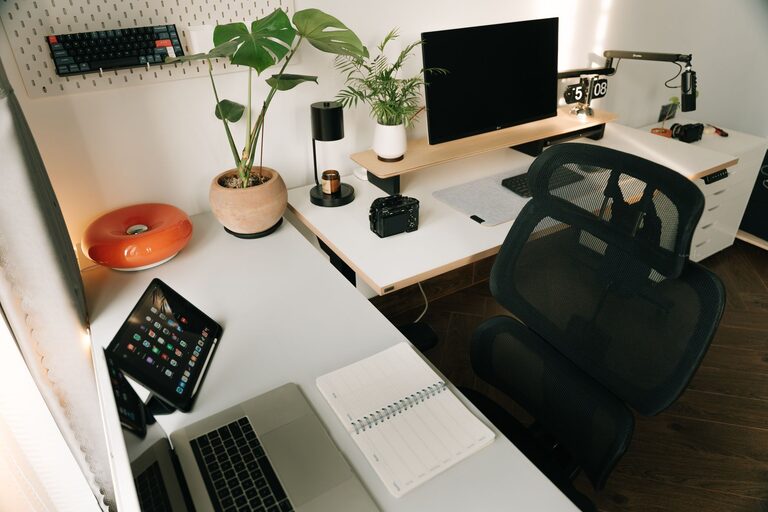
Creating a home workspace that is both organized and productive can make a significant difference in your ability to focus and accomplish tasks efficiently. Whether you’re working remotely, freelancing, or managing personal projects, a well-designed workspace can help you stay motivated and reduce distractions. In this post, we’ll explore practical tips to help you create an organized and productive home workspace tailored to your needs.
1. Choose the Right Location
The first step in setting up a home workspace is selecting the best location. Ideally, this space should be quiet, free from distractions, and have good natural light.
– Consider High Traffic Areas: Avoid setting up in places where family members or roommates frequently pass by.
– Lighting: Choose a spot near a window to benefit from natural light, which helps reduce eye strain and improve mood.
– Space: Ensure there’s enough room for your desk, chair, and any equipment you need.
2. Invest in Comfortable and Functional Furniture
Comfort is key to maintaining productivity throughout the day.
– Ergonomic Chair: Select a chair that supports your posture and provides comfort for long periods of sitting.
– Desk Size: Pick a desk that fits your equipment and allows room for writing or other activities.
– Adjustable Options: Adjustable desks or standing desks can help reduce fatigue and improve focus.
3. Declutter and Organize Your Workspace
A tidy space leads to a clear mind. Taking time to declutter can help you save time and reduce stress.
– Minimal Essentials: Keep only the tools and materials you need daily on your desk.
– Storage Solutions: Use shelves, drawers, or organizers to keep supplies neat and within reach.
– Cable Management: Use clips or cable trays to prevent cords from tangling and cluttering your desk.
4. Personalize Without Overdoing It
Adding personal touches can make your workspace inviting, but avoid over-cluttering.
– Inspirational Items: Photos, plants, or artwork can boost mood and creativity.
– Limit Distractions: Keep decorations simple and avoid items that might divert your attention.
5. Use Technology Wisely
Leverage technology to boost productivity.
– Efficient Equipment: Invest in a reliable computer, monitor, and peripherals suitable for your work.
– Software Tools: Utilize productivity apps like task managers, calendars, or note-taking software.
– Noise Reduction: Headphones or white noise machines may help if your space isn’t perfectly quiet.
6. Establish a Daily Routine
Creating habits around your workspace helps maintain productivity.
– Set Work Hours: Define start and end times to separate work life from personal time.
– Breaks: Schedule short breaks to rest your eyes and move your body.
– Start-Up Ritual: Begin your day by organizing your desk or reviewing your tasks.
7. Keep the Area Clean
Regular cleaning is essential to maintain an inviting and healthy workspace.
– Daily Tidy-Up: Spend a few minutes at the end of each workday to clear your desk.
– Deep Cleaning: Weekly dusting and wiping down surfaces prevent buildup and promote comfort.
8. Optimize for Your Work Style
Tailor your workspace design to fit the way you work best.
– Visual vs. Minimalist: Some people prefer having visual reminders and supplies handy, while others work better with minimal distractions.
– Collaboration Needs: If you work with others remotely or in person, consider space for meetings or video calls.
—
By thoughtfully designing your home workspace with these tips, you can create an environment that supports focus, creativity, and efficiency. Remember, the best workspace is one that works for you — so don’t hesitate to experiment and adjust until you find the perfect setup. Happy organizing!